Your brand, not a badge
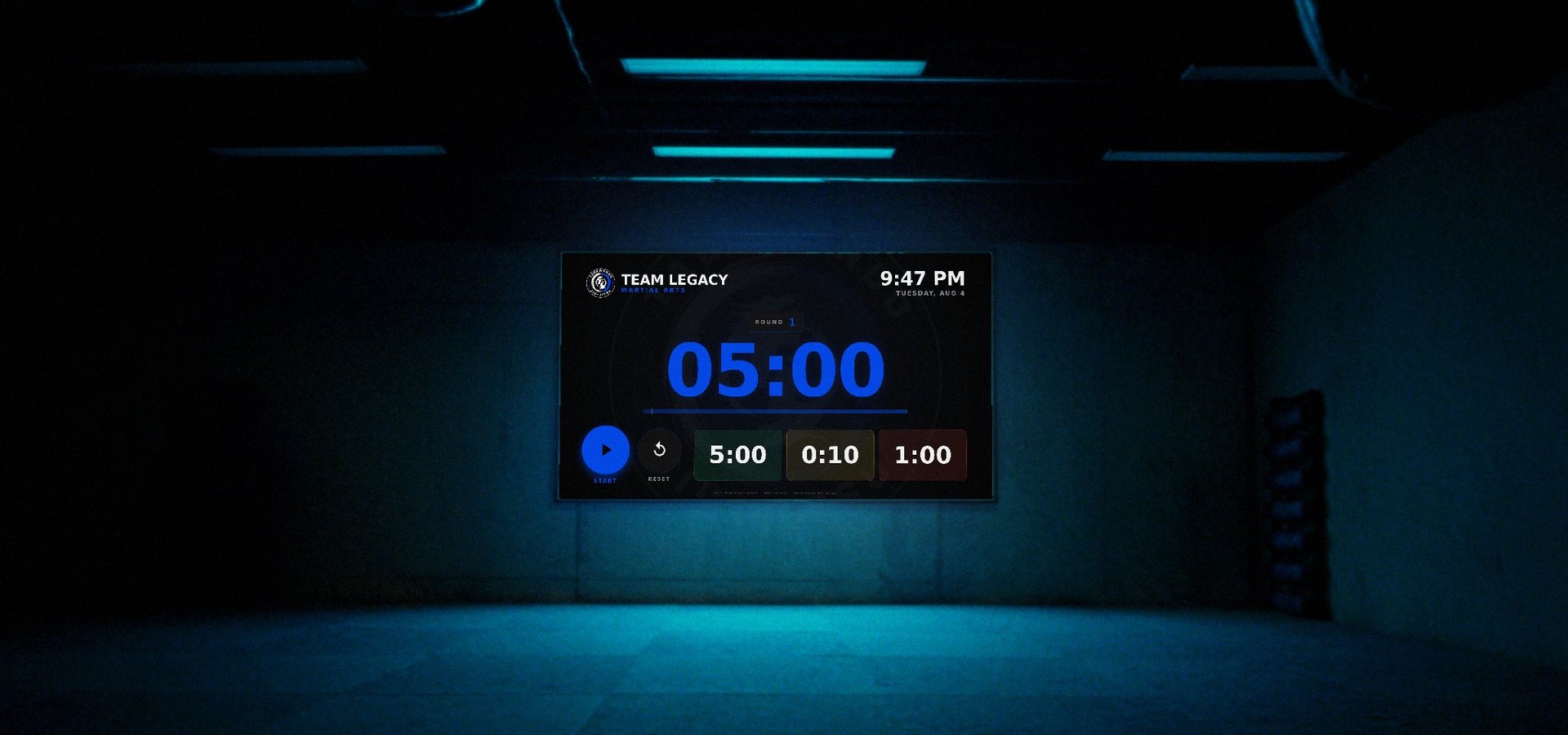
Your mark sits behind the digits at full size, and everything on the screen is in your color: the clock, the bar, the light in the background. Members read it as signage, not software.
The TV, a tablet, the old laptop: any screen you already own becomes a round timer. Set three numbers and leave it alone; it keeps running with the wifi off. The timer is free. The $20 puts your logo and your colors on it. And on match day the same screen keeps score.
or type cornerman.app/timer into any TV
Live, not a screenshot. Scroll through the gyms using it:
Right now
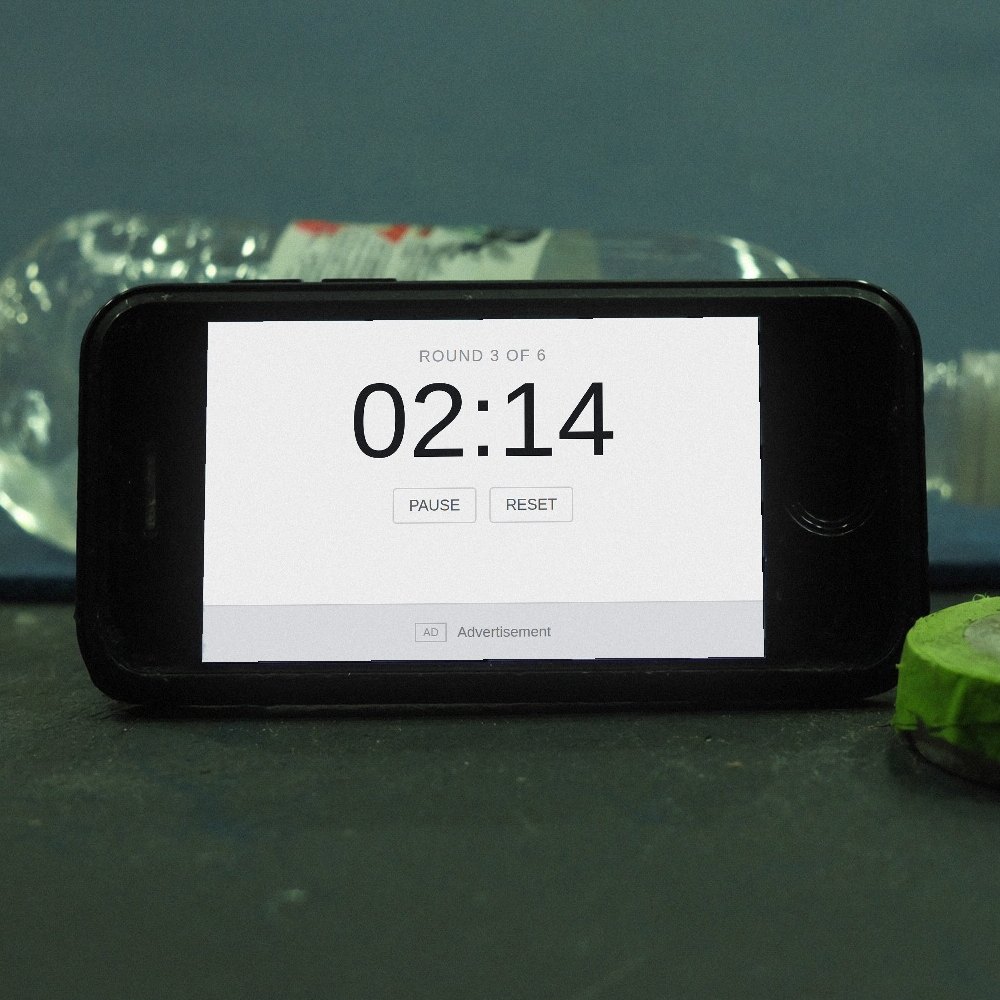
Thirty people, six rounds, eyes up every ninety seconds. And what they're looking at is somebody's cracked phone face-down against a kettlebell, or a free app with a stranger's advert across the bottom of it, or a coach shouting time because the screen locked itself again.
You've spent real money on mats, on signage, on a logo somebody designed properly. Then the one surface every member looks at forty times a class belongs to nobody.
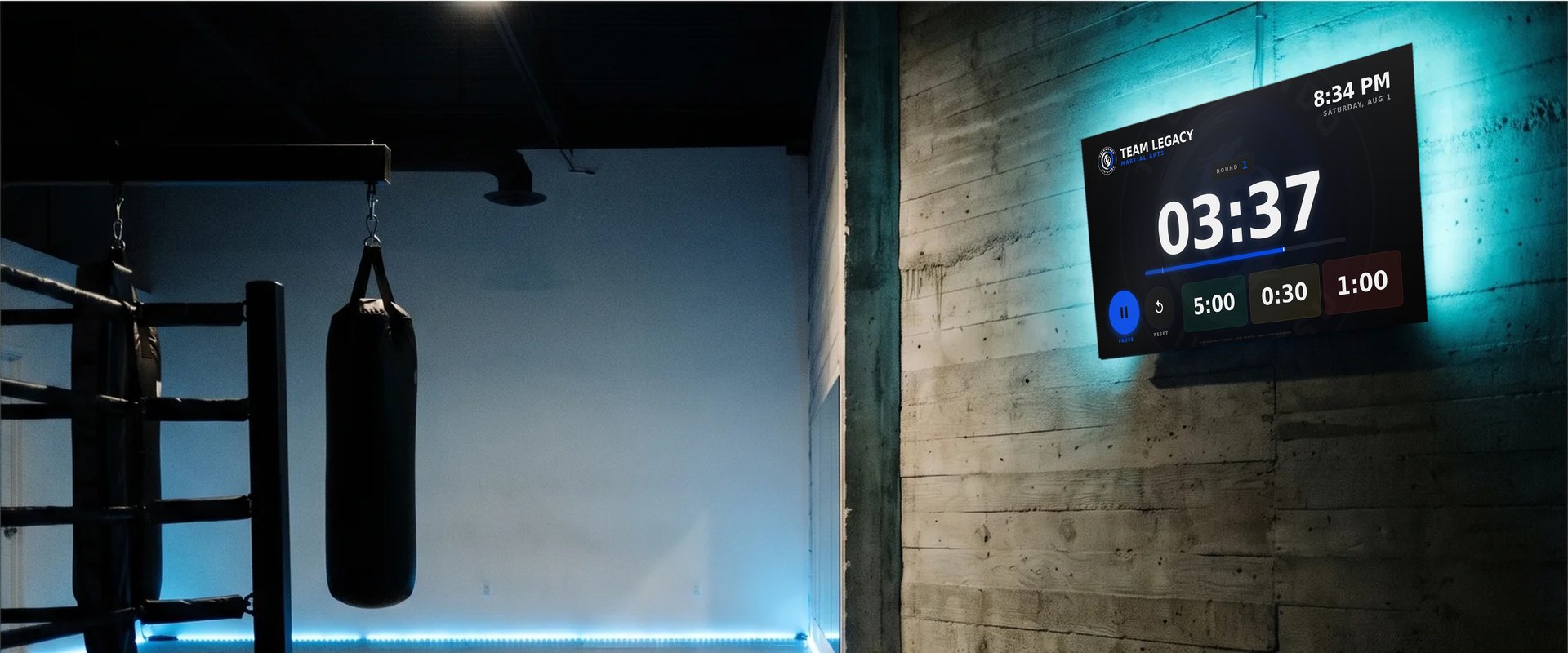
After
A screen you already own, mounted where the room can see it, running your gym's name. Nothing to plug in behind it, nothing to sign into on a Tuesday morning, no box on a shelf with a fan in it.
Every screen in the building runs the same one: the main mat, the second room, the conditioning corner, the tablet the kids' coach carries. Same link, same branding, no extra cost, no per-screen fee.
Your mark sits full-size behind the digits. The bar, the glow, the whole screen takes your color. Not a logo dropped into the corner of somebody's template.
Set three numbers on day one. Nobody touches it again. It opens where it left off, on the same screen, for years.
Everything lives on the screen after the first load. The internet drops, the round doesn't.
One price covers the building. A second room costs you the ten seconds it takes to open a link.
Gyms running it
Every one of these is a real academy with the timer on a real wall. There are not many of them yet, which is the honest state of something this new, and it is the reason the guarantee further down is what it is.
Running it in your gym? Send a photo of it on your wall and a line about how it is going to info@labyrinth.vision and it goes here, with your gym's name on it.
What you get
Your mark sits behind the digits at full size, and everything on the screen is in your color: the clock, the bar, the light in the background. Members read it as signage, not software.
Main mat, second room, office tablet, the coach's phone in the park. Unlimited, forever, with no per-screen fee and no seats to count.
Artwork, bell and clapper are all stored on the screen after the first load. The most common reason gyms abandon web timers is the reason this was built the way it was.
One ring to start, three to finish, the way a fight does, and a clapper at the ten-second warning. Both sit over the music instead of cutting it dead.
Round, rest, count. That is the entire settings screen. Nobody needs training and nobody can break it.
It is a web page. Open the link and it runs. Nothing to install on a TV, nothing for a coach to be logged out of.
cornerman.app/gym/your-gym. Tape the code by the light switch and any coach with a phone can put the timer on any screen in ten seconds.
Free on the App Store. Apple TV is the one box with no browser on it, so it got an app: the same timer and gym code, a match scoreboard in the menu, and it opens with the television.
Setting it up
Nothing is built for you overnight, because nothing has to be. Pay and your timer already exists before the receipt reaches your inbox: branded, live on its own link, with a code you can print.
Your logo and colors come off it and land on the timer while you watch. No site, or an awkward logo? Email the file and we'll do it by hand.
You land on a page with your link and your QR code on it, already in your colors. Print it and keep it with the remote.
The TV, the tablet, the old laptop. That screen keeps your branding for good, through reboots and with the internet off.
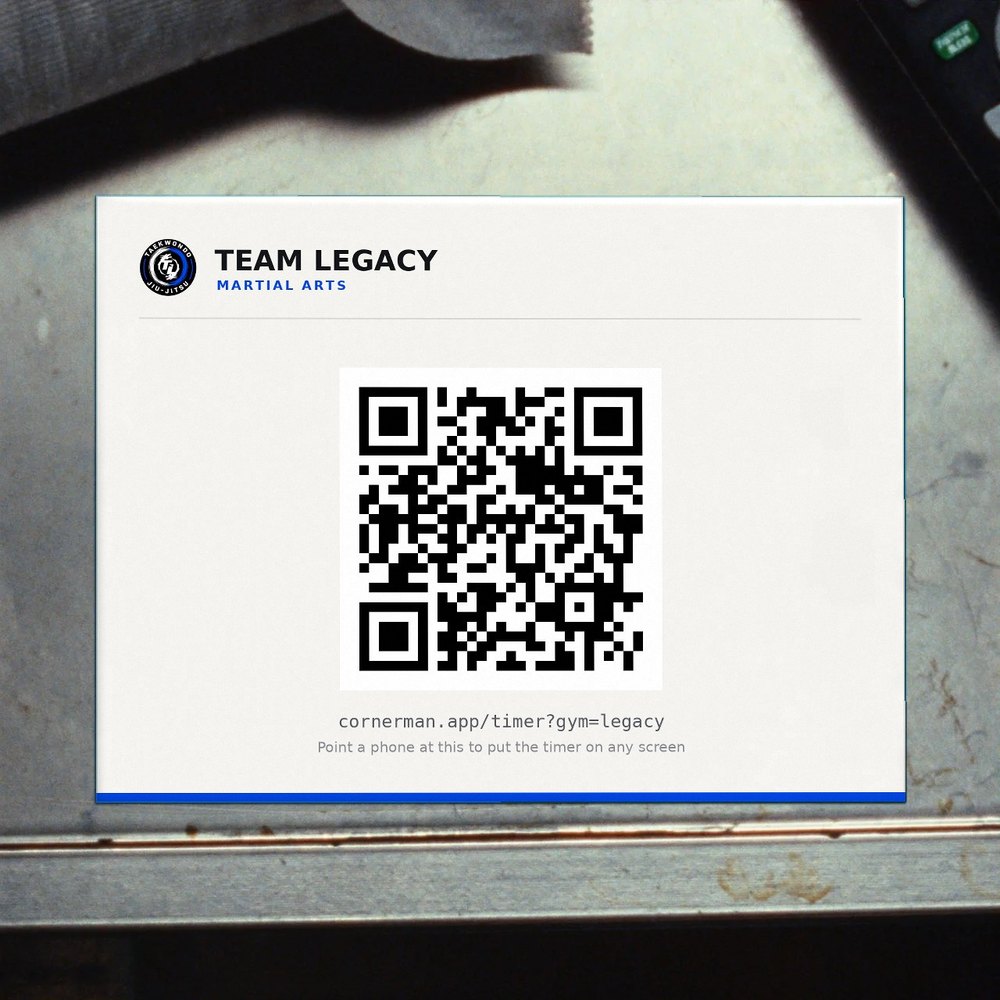
cornerman.app/gym/your-gym
On your actual television
cornerman.app/timer.There is no step four. Nobody from here will ever email you about your subscription, because you don't have one.
New on the App Store
The same timer, as a real app, with a match scoreboard in the same menu. Apple TV is the one box that ships with no browser on it, so it got one of its own. Free, no account, and it opens with the television.
Type your code once on the remote and the screen is yours: your logo behind the clock, your name in the corner. It keeps it through reboots, and it picks up a new logo or color on its own.
Everything is inside the app: the artwork, the brass bell, the wooden clapper. The gym's internet drops, the round doesn't.
Round, warning and rest along the bottom. Arrows move and adjust. There is no settings screen because there is nothing else to set.
Three presses of Menu and choose Competition. Two athletes, points in green, advantages in yellow, penalties in red, and the clock in a band underneath, with IBJJF, ADCC, Jiu Jitsu World League and EBI rules built in. See match day.
Get it free on Apple TV Free · tvOS 17 or later · no account
Match day
The timer grew into the whole match table: a scoreboard for two athletes, scored from a phone or with a tap, with the bracket, the leaderboard and an event-day view built in. It is the board a gym runs its own in-house tournaments, dual meets and internal comps on.
Live, not a screenshot, with made-up athletes. Tap a name to score it.Open it full screen to score it.
Open it full screenThe match controller
The board sits on a screen the whole room can see. The controller is your phone, paired with that board, so whoever is scoring can stand at the mat while everyone watches the result.
1 · Show the board
Choose Competition in the Apple TV app. Or open cornerman.app/scoreboard in the browser on any TV or computer, type your gym's code, and the board is up.
2 · Scan the code
The board shows a QR code labeled “Score from your phone.” Scan it and the phone is the match controller for that board. No app to install and no account.
3 · Score
Big buttons for points, advantages, penalties, the clock and the finish, plus names, belts and the bracket. Or tap a name on the phone's own copy of the board. Several phones can score one board at once.
On the Apple TV the code pairs a phone through a scoreboard relay on the gym's network, the same relay that can put the board on a live stream. In a browser, on any TV or computer, it pairs through cornerman.app and there is nothing else to set up.
Two athletes, points in green, advantages in yellow, penalties in red, and the clock in a band underneath. It runs in the Apple TV app, or in any browser at cornerman.app/scoreboard.
IBJJF's penalty ladder, ADCC's scoreless first half and negative points, Jiu Jitsu World League draws to the last scorer, EBI's submission-only overtime by ride time. Pick one and the board counts the way it does.
Scan the code on the board and your phone is the match controller: big buttons for points, advantages, penalties and the clock, plus names, belts and stripes, kids' belts included. Or tap a name on any board, on a computer or on the phone itself. Nothing to install.
Single elimination, double elimination or round robin, two athletes to sixteen. Byes are handled, winners walk into their next match, and the next pairing loads onto the board when you call it.
Every official finish you score lands on your gym's leaderboard. Career records and medals can sync from your gym's own academy results page too (ask us to connect it), and they stay in their own layer, never mixed into the night's results.
Mat 1 to 4 and a main board from one controller. The event-day view shows every board live beside a feed of finishes, and a victory screen names the winner, how they won and, with a bracket running, who is up next.
Anybody with your code can open the board on their own phone and watch the match as it happens. With a scoreboard relay on the gym's network it can also ride along on a live stream, as the scoreboard bar at the bottom of the picture.
The name, logo and color from your $20 branding carry onto the hosted board, bracket and leaderboard, and the logo sits behind the scoreboard the way it does behind the timer, so the whole day looks like yours.
On the Apple TV
Open the menu with three presses of Menu and choose Competition. The board is scored from the Apple TV remote: Select to edit, arrows to step. With a scoreboard relay on the gym's network, the code in the corner pairs a phone as the match controller, and the board can ride along on a live stream. It's part of the app: free, no account.
Get it free on Apple TVIn any browser
The board, the match controller, the bracket, the leaderboard and the event-day view all run at cornerman.app. A TV or a laptop shows the board, the phones in the room pair with it, and that is the whole setup. Nothing to install, no account, and nothing to buy a box for.
What it costs, and how you start. Nothing, and there is nothing
to set up. Open the scoreboard, type a code for your gym (three letters
or more, like iron-gym) and it is yours: the board opens,
and the phone link and QR on it run the match. No account, no email, no
waiting for anybody. The $20 is only for putting your gym's name and
logo on it.
Straight to a page, with your code ready: scoreboard, the controller, the bracket, the leaderboard or the event day view.
Price
No subscription, no seats, no per-screen fee. Nothing that renews while you're not looking.
Nothing at all
Put it on every screen you own tonight. Three numbers, the bell, the clapper, working with the wifi off, for as long as you like. The match day scoreboard is free the same way. No account, no trial, nothing to expire. It carries Cornerman's name rather than yours, and that is the only difference.
Open it nowor cornerman.app/timer on the TV itself
$20, once
Your mark behind the digits, your color on the bar and the glow, your name across the top of every screen in the building. It follows you onto the match day boards, too. That is the whole of what the money buys, and it is the part a room full of members actually reads.
Your gym, branded
Launch pricingsave $79
Your mark, your colors, on as many screens as you like. If your logo changes later we redo it, and the code you already printed keeps working.
Put your name on it for $20 onceLive on your first screen in about a minute.
What the same job costs the other two waysSwipe to compare →
| Feature | Cornerman | LED wall timer | Phone app |
|---|---|---|---|
| Price | $20 once | $299+ per unit | Free to $60/yr |
| Your branding | Yes | No | No |
| Rooms covered | Every screen you own | The one it's bolted to | The one it's propped in |
| Works offline | Yes | Yes | Usually |
| Setup | A minute | A drill and a socket | It locks itself |
| Adverts | None | None | Often |
Three rooms of LED timers is $897, three holes in the wall, and three clocks that still don't know your name.
The guarantee
Put it up, run it for a month, show it to your coaches. If it isn't earning its place on the wall, email us and we'll refund it in full. No form, no call, no what could we have done better. You keep the QR card. We'd rather have the gyms that want it.
Questions
No. Anything with a browser runs it: the TV you own, a tablet on a shelf, an old laptop. On Apple TV there is a free app on the App Store, because it is the one box Apple ships with no browser on it.
The whole timer, in our colors instead of yours. The same clock, the same bell and clapper, on as many screens as you like, working with the wifi off. There is no account, no trial and nothing that expires. Open the link and it is yours to use for as long as you want it. The $20 buys one thing: your gym's name and colors on it instead of ours.
Nothing. Artwork, bell and clapper are all stored on the screen after the first load, so the round keeps running. This is the reason most gyms give up on web timers, and it's the thing this was built around first.
Not really. There are three numbers and a start button. It has no account to be logged out of, no update to accept and no settings menu to get lost in. If a screen is ever wiped, the QR card by the light switch puts it back in ten seconds.
Send it anyway. Most gym logos arrive as a screenshot of a screenshot. A person looks at every one before it goes out, and if it can't be saved we'll tell you exactly what to send instead.
A brass ring bell, once to start and three times to finish, and a wooden clapper at the warning. Both mix over the music instead of cutting it. If you want your own bell, send it and we'll put it in.
It's for anything run in rounds. Boxing, muay thai, wrestling, MMA, conditioning, circuits, kids' classes. It counts down and rings a bell; the sport is up to you. The match scoreboard is the one part that is specific: it follows grappling rulebooks, so it is for jiu-jitsu and submission grappling.
Nothing. The scoreboard, the phone controller, the bracket, the leaderboard and the event-day view are free, with no account and no subscription. The $20 is only for putting your gym's name and logo on the timer and the boards.
Anybody who has your gym's code can open your board and leaderboard and watch a match live, and anybody with the controller link can score. Treat the code like a password for the event: give it to the people who run it and not to the room. If it gets out, write to us and we will retire it. The privacy page says what is kept and for how long.
No. The board runs in any browser at cornerman.app/scoreboard, so a laptop on the judges' table is the whole setup. The referee scores from a phone, or taps or clicks the names on the board itself. If you already have an Apple TV on the wall, the board is built into the free app.
IBJJF, ADCC, Jiu Jitsu World League and EBI, each with its own scoring, penalties, draws and overtime. Pick one and the board counts the way that rulebook counts. On the browser board, ADCC's scoreless first half even counts down beside the clock, POINTS IN 2:30, and flips to POINTS LIVE the second scoring opens. The rulesets are named for the rulebooks they follow. Cornerman is independent and is not endorsed by any of those organizations.
The timer always does. The scoreboard depends on how you run it. The Apple TV board and the referee's phone talk over the gym's own network, so they don't need the internet. The hosted pages, which are the browser board, the controller, the bracket, the leaderboard and the event-day view, do.
Fair question, and here's the honest answer: your timer screens already hold their own copy. They keep running with no internet and no server, which means they keep running whatever happens here. There's no account to be locked out of and no subscription to strand you. That's not a promise about the future. It's how the thing is built. Match day is the one part that uses our servers: the hosted pages do, and the Apple TV scoreboard can run on the gym's own network without them.
Email within thirty days and we refund the full $20. No form, no call. Keep the printed card.
One field, then you're done
Type your website. Two seconds later the timer on this page is wearing your logo and your colors. If it looks right, it's $20 and it's live on its own link before you close the tab. If it doesn't, put the free one up tonight instead and keep the twenty dollars. It is the same clock, and it will still be there in a year.